Download AthStitcher (Windows) x64 or x32

To Install
Install by downloading and opening the one of the following .msix files.
If Windows warns about the publisher, you may need to approve installation
Once downloaded, you may need to view the .msix folder in Explorer,
go to Properties and unblock the file.
Nb: you might get a request to accept the publisher certificate, which you need to do.
If you have issues with the certificate, see the post on WPF Sideloading for details on installing the certificate.
To Uninstall
Go to:
Windows Settings -> Apps -> Installed apps -> AthStitcherWPFSetup (Search for it) -> Uninstall
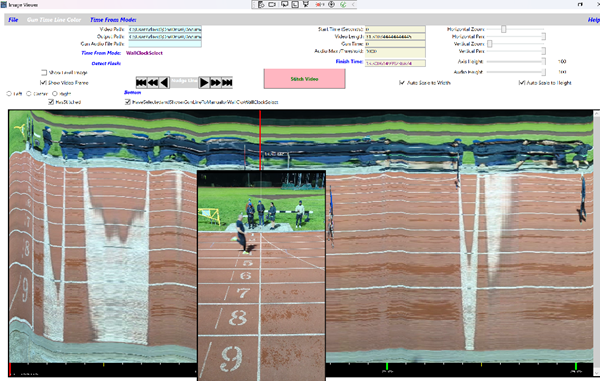
The App